You do not need a laptop or a special app. Here is how to turn phone photos into a clean PDF on Android or iPhone.
By DocConvertPRO Editorial Team3 min read
Most documents we need to submit are on paper, and most of us have our phone in hand. A phone is perfectly capable of creating a good PDF if you take a little care. You do not need to install an app for a one-off task.
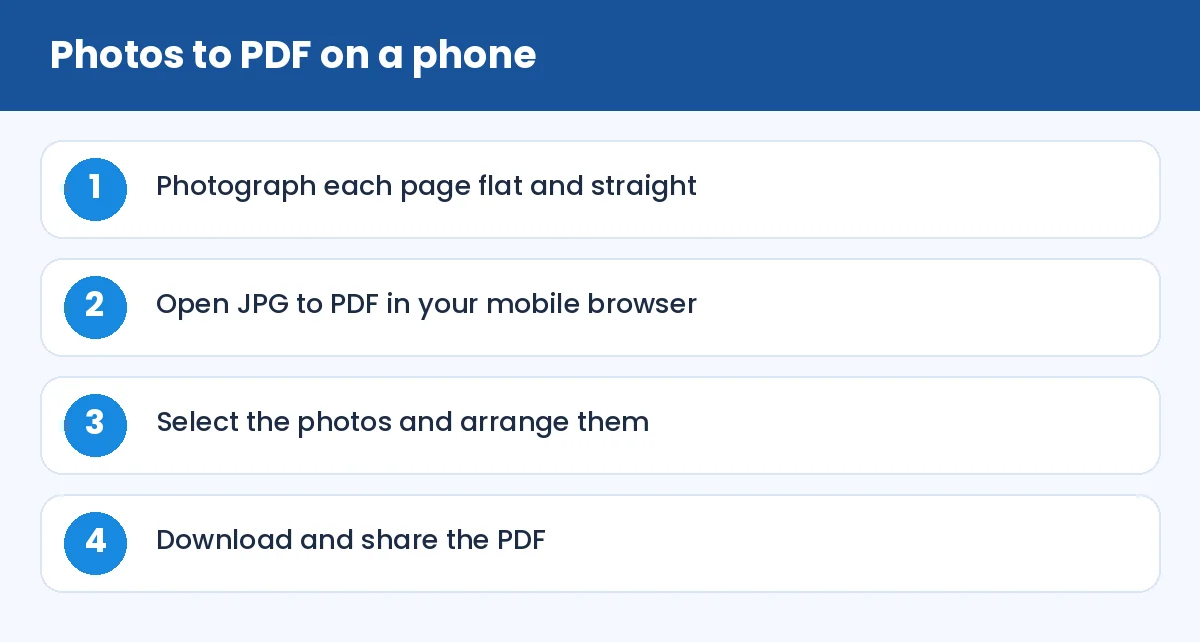
How to Convert Images to PDF on Your Mobile Phone: Photos to PDF on a phone (infographic)
Take good photos
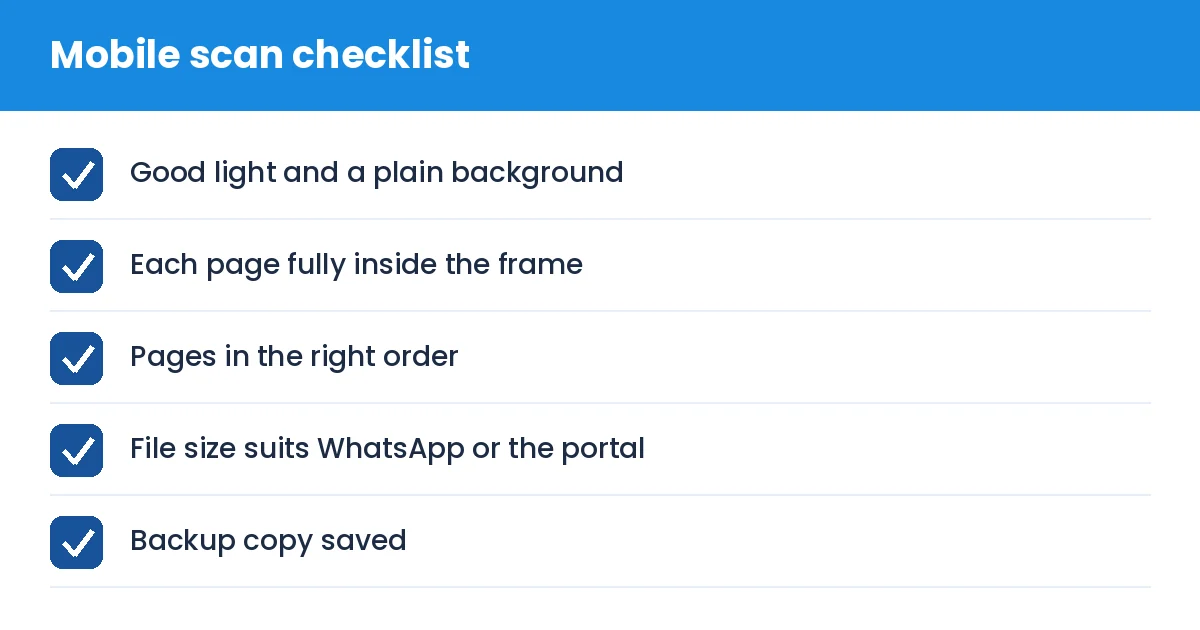
Lay the page on a table in daylight, away from direct glare. Hold the phone parallel to the page. Keep the whole page in the frame, and tap to focus on the text. Take every page the same way so the PDF looks consistent. If your phone has a document scan mode, use it, as it corrects perspective automatically.
Convert in the browser
Open JPG to PDF in your mobile browser, pick the photos from your gallery and arrange them. Convert and download. The PDF will be saved in your phone's downloads folder, from where you can share it by WhatsApp, email or upload it to a portal.
If your phone saves pictures as HEIC, convert them with HEIC to JPG first. PNG screenshots can be converted with PNG to PDF.
WhatsApp can send PDFs as documents, which keeps quality. Do not send them as photos, or they will be compressed and sometimes cropped. Choose "Document" in the attachment menu.
Keep your documents private
Scans of Aadhaar, PAN or bank documents are sensitive. Avoid leaving them in a shared gallery or messaging groups. After submitting a form, delete the extra copies from your downloads folder, and use Protect PDF when you must email them.
Common mistakes
Pages photographed at an angle so text runs uphill
Fingers or shadows covering part of the page
Pages in the wrong order in the final PDF
Sending a huge file over a weak mobile connection and assuming it arrived
Forgetting to check the last page
Tip: write the page number lightly at the corner of each paper page before photographing if the order matters, and remove it if the document must stay clean.
How to Convert Images to PDF on Your Mobile Phone: Mobile scan checklist (checklist)
Summary
Take straight, well-lit photos, convert in your browser, compress if needed and share as a document. It takes only a few minutes from your phone.