How to Reduce PDF Size for Government Job Applications
Recruitment portals love tiny file limits. Here is a calm, step-by-step way to hit the size limit and keep every word readable.
By DocConvertPRO Editorial Team4 min read
Almost every government job form in India has the same irritating moment: you finish filling in everything, reach the document upload step, and the portal says the file must be under 200 KB. Your scanned certificate is 3 MB. It is late, the last date is tomorrow, and you start to panic.
Take a breath. This is one of the easiest problems to fix, as long as you do it in the right order.
Why scanned PDFs are so big
A PDF made from a phone camera or a flatbed scanner is really a picture of a page. Pictures are heavy. A single A4 page scanned at 300 dpi in colour can easily cross 1 MB. A text PDF exported from Word is tiny by comparison because it stores letters, not pixels.
That is why the same marksheet can be 80 KB when it is created on a computer and 2.5 MB when it is scanned.
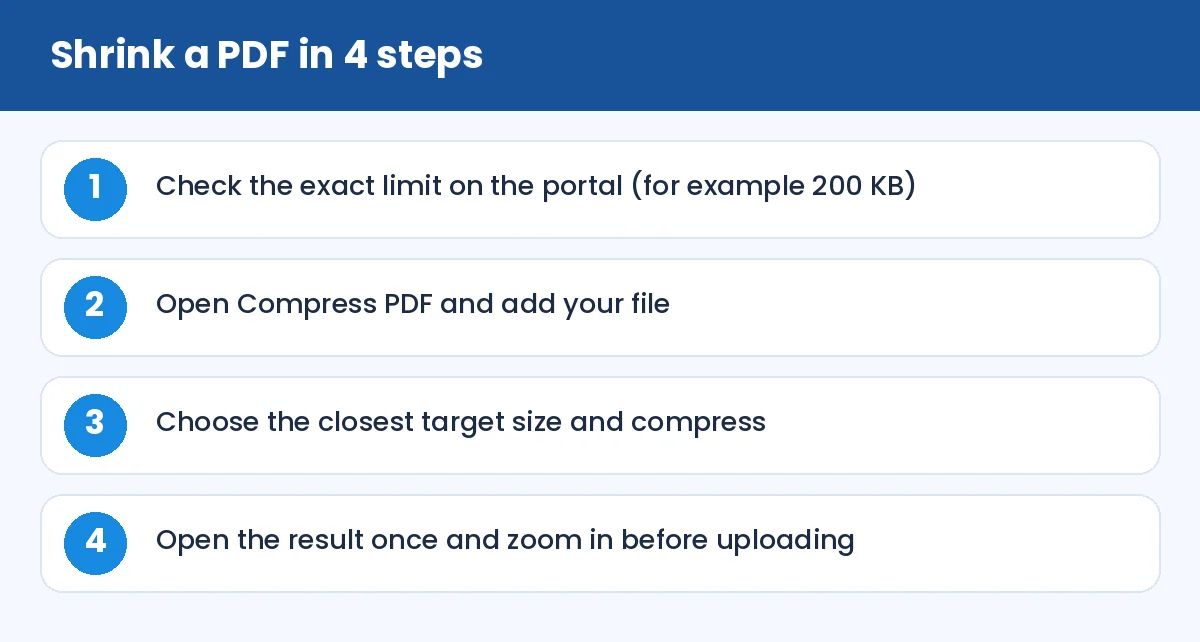
How to Reduce PDF Size for Government Job Applications: Shrink a PDF in 4 steps (infographic)
Step by step
First, read the portal instruction carefully. Some sites say "maximum 200 KB", others say "between 50 KB and 200 KB". The minimum matters as much as the maximum, because some portals reject files that are too small and assume they are blank.
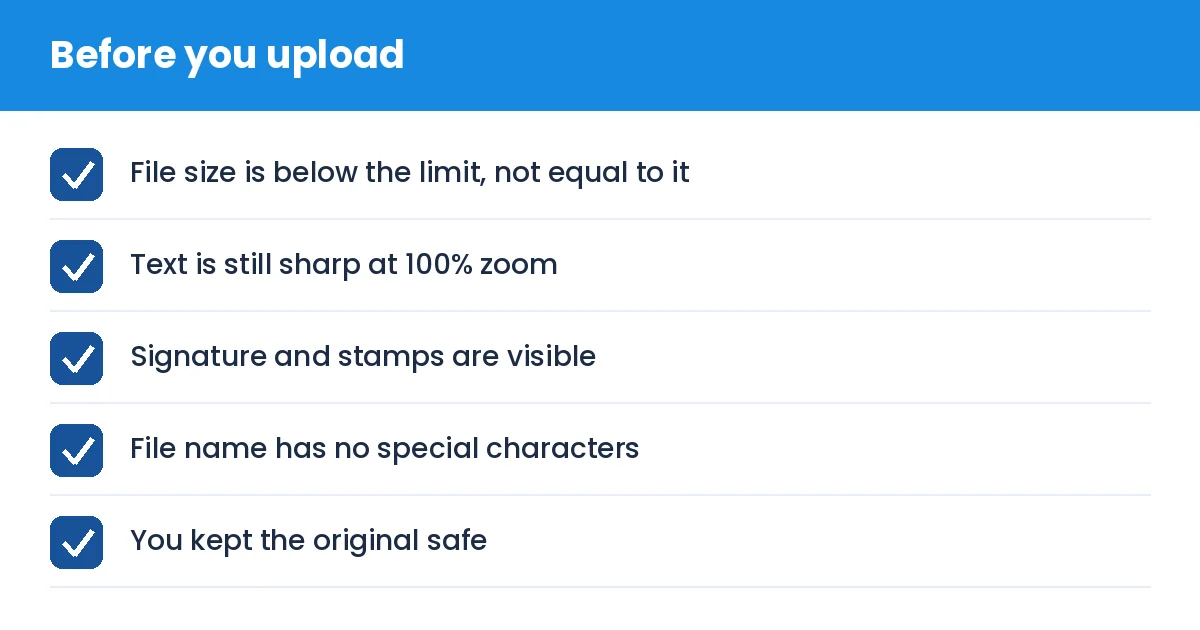
Next, open the Compress PDF tool and add your file. If you already know the target, you can go straight to a size-specific page such as compress PDF to 200 KB or compress PDF to 100 KB. Pick the value just below the limit, not exactly at it. If the limit is 200 KB, aim for 150 to 190 KB so that a small difference in how the portal counts bytes does not reject you.
Finally, download the result and open it. Zoom to 100% and read a few lines. If you can read the smallest text comfortably, the file is good.
If the file is still too large
Sometimes the first attempt is not enough. Here is what usually works, in order:
Scan again in black and white or grayscale instead of colour. Plain certificates rarely need colour.
Lower the scan resolution to 150 dpi. It is more than enough for reading on a screen.
Remove pages you do not need. If the form asks only for the first page of a document, do not upload five.
Split a combined file with Split PDF and compress each part separately if the portal accepts multiple uploads.
Tip: never compress the same file again and again. Each pass loses a little detail. Always start from the original scan.
Common mistakes to avoid
Many applicants rename a .jpg to .pdf and hope for the best. That does not work and often makes the file invalid. If you have photos of your documents, use JPG to PDF to make a proper PDF first, then compress it.
Another frequent mistake is compressing so hard that the signature disappears into grey noise. Always look at the final file the way an examiner would see it.
How to Reduce PDF Size for Government Job Applications: Before you upload (checklist)
Privacy note
Your certificates contain your name, date of birth and sometimes your Aadhaar number. Use tools that process files in your browser where possible, and do not leave copies on a shared computer at a cyber cafe. After uploading, delete the downloaded files from the machine.
The short version
Know the limit, compress to a little below it, open the result and check it, keep the original. Doing it in that order takes about two minutes and saves you from the last-hour panic that so many applicants know too well.